

Download Adobe Edge Animate – Free HTML5 Animation Tool for Web Designers
Overview
Adobe Edge Animate is Adobe’s answer to the growing need for a modern, standards‑based animation platform that works across browsers, devices, and operating systems. Launched as a free preview, Edge Animate lets designers craft rich, interactive motion graphics using only web‑native technologies such as HTML5, JavaScript, and CSS3. While Adobe openly states that Edge is not a direct one‑to‑one replacement for Flash Professional, the tool mirrors many of Flash’s creative capabilities—timeline‑based animation, key‑frame editing, and a library of easing functions—without the need for a proprietary plug‑in.
Built on the WebKit rendering engine, Edge Animate automatically generates clean, standards‑compliant code that can be embedded directly into any HTML document. This makes it especially attractive for designers who want to future‑proof their work against the industry‑wide phase‑out of Flash, a move accelerated by Apple’s decision to block Flash on iOS devices. By leveraging HTML5, Edge Animate ensures that animations run smoothly on desktops, tablets, and smartphones alike, while also offering a familiar workflow for seasoned Flash users.
The free preview version is available for both Windows and macOS, receives regular updates, and integrates with Adobe’s Creative Cloud ecosystem, allowing designers to import assets from Photoshop, Illustrator, and other Adobe apps. Whether you are building banner ads, interactive infographics, or full‑screen web experiences, Adobe Edge Animate provides a secure, up‑to‑date environment that keeps your projects lightweight, searchable, and SEO‑friendly.
Key Features of Adobe Edge Animate
- Timeline‑Driven Animation: A visual timeline editor that mimics Flash’s layer‑based approach, enabling precise control over position, scale, rotation, opacity, and color.
- HTML5, CSS3 & JavaScript Export: All animations are exported as clean, standards‑compliant code, eliminating the need for browser plug‑ins.
- 25+ Built‑In Easing Options: Choose from a rich set of easing curves or create custom easings for more natural motion.
- Responsive Design Support: Create fluid layouts that adapt to different screen sizes, with built‑in breakpoint handling.
- SVG & Image Integration: Directly animate SVG, PNG, JPG, and GIF assets, and apply CSS styles to vector graphics for crisp scaling.
- Copy‑Paste & Invert Transitions: Speed up workflow by copying keyframes, inverting motion paths, or reusing animation presets across projects.
- Live Preview in Browser: Instantly test animations in any modern browser without leaving the application.
- Creative Cloud Sync: Seamlessly pull assets from Photoshop, Illustrator, and other Adobe tools, and store projects in the cloud for collaborative work.
- Extensible with JavaScript: Add custom interactivity, API calls, or third‑party libraries to enhance the functionality of your animations.
- Free Preview Version: Fully functional at no cost, with regular updates that introduce new tools, easing curves, and performance improvements.
Beyond the feature list, Edge Animate’s real power lies in its ability to bridge the gap between design and development. The generated code is not a black box; developers can open the exported files, read the markup, and tweak it further if needed. This openness encourages better collaboration between designers and front‑end engineers, reduces hand‑off friction, and ultimately results in faster project delivery.
Moreover, the tool’s integration with Adobe’s broader ecosystem means that you can use familiar UI elements—such as the Creative Cloud Libraries panel—to drag and drop assets directly into your animation canvas. The timeline supports multiple layers, nested symbols, and reusable components, allowing you to build complex interactions without redundant code. Finally, Edge Animate’s commitment to web standards ensures that your creations are future‑proof, searchable by engines, and accessible to assistive technologies, which is increasingly important for SEO and compliance.
Installation, Usage & Compatibility
Downloading and Installing
To get started, visit Adobe’s official download page and click the “Download Free Preview” button. The installer is available for both Windows (7, 8, 10, 11) and macOS (10.13 and later). Once the download completes, run the executable (Windows) or .dmg (macOS) and follow the on‑screen prompts. The installer will automatically add a desktop shortcut and register Edge Animate as the default program for .edge project files. Because the preview version is free, no credit card information is required, though you will be prompted to sign in with an Adobe ID to enable cloud sync and receive update notifications.
First‑Run Setup
After launching Edge Animate for the first time, you’ll be greeted with a welcome wizard that helps you configure basic preferences: interface language, default project location, and whether you want to enable automatic updates. The wizard also offers a quick tutorial that walks you through creating a simple animation—a useful way to familiarize yourself with the timeline, property panel, and preview window. If you’re already a Creative Cloud subscriber, you can link your account to import assets directly from Photoshop or Illustrator libraries.
Creating Your First Animation
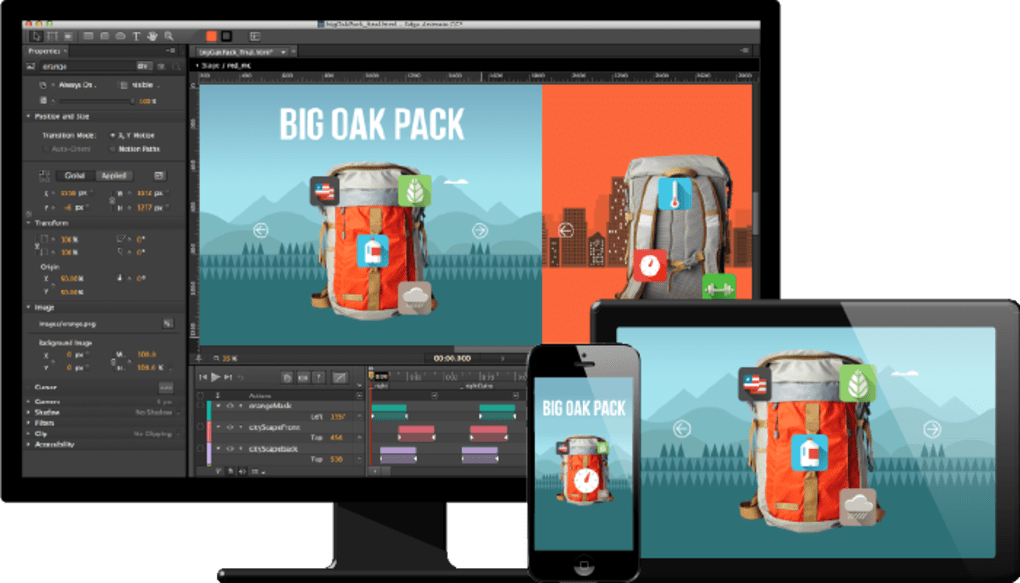
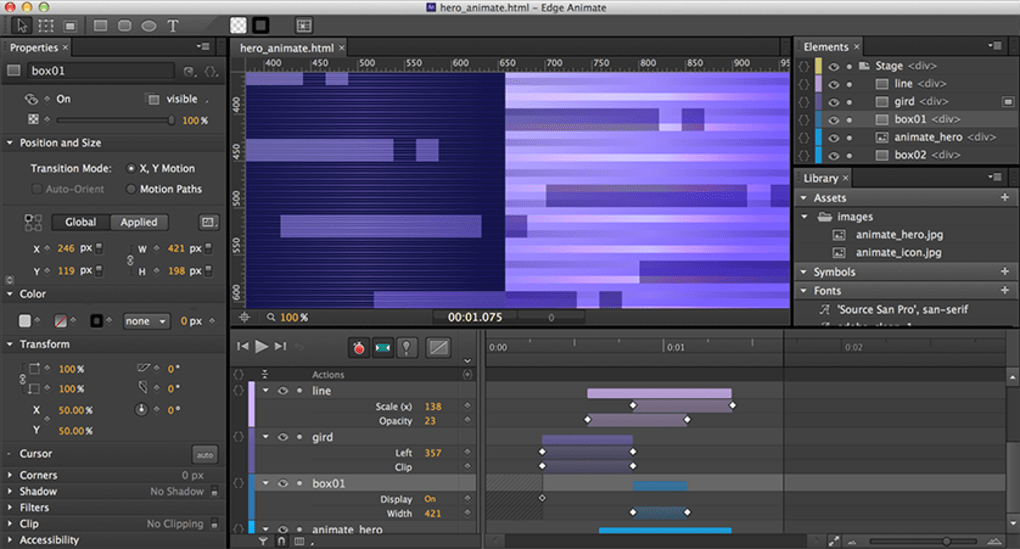
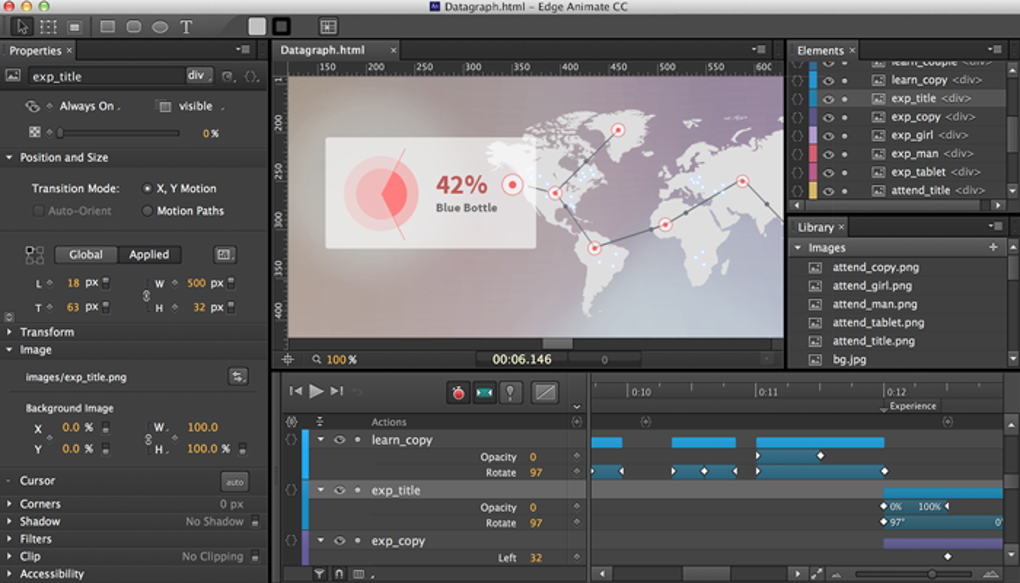
Start a new project by selecting “File → New” and choosing a canvas size that matches your target display (e.g., 1920×1080 for desktop, 375×667 for mobile). The interface is divided into three main panels: the Stage (visual preview), the Timeline (key‑frame editor), and the Properties panel (where you adjust individual attributes). Drag an image or SVG onto the Stage, then click the Timeline to set a keyframe at 0 seconds. Move the playhead to 2 seconds, adjust the object’s position or scale, and a new keyframe is automatically created. By selecting both keyframes and clicking the easing dropdown, you can apply a “Ease Out Bounce” effect for a playful entrance.
Testing and Exporting
Edge Animate provides a built‑in preview that opens your animation in the default system browser, allowing you to test performance on the fly. When you’re satisfied, choose “File → Export → HTML5”. The exporter creates an index.html file, a js folder with the animation script, and a css folder containing generated styles. You can then upload the folder to any web host, embed the iframe into a CMS page, or integrate the code into an existing website. Because the output is pure HTML5/CSS3/JS, it works on all modern browsers—Chrome, Firefox, Safari, Edge—and on mobile platforms without additional plugins.
Ongoing Updates & Support
Adobe releases updates to Edge Animate on a quarterly basis. The update manager, accessible via “Help → Check for Updates”, will download and install patches automatically. Each update includes new easing curves, performance optimizations for the WebKit engine, and bug fixes related to SVG rendering. Community support is available through Adobe’s forums, where you can ask questions, share templates, or download free assets contributed by other designers. Because the preview version is free, you also have access to a rich library of tutorial videos on Adobe’s YouTube channel, covering everything from basic motion to advanced JavaScript integration.
Pros, Cons & Frequently Asked Questions
Pros & Cons
- Pros:
- Free preview version with full feature set.
- Exports clean, standards‑compliant HTML5/CSS3/JS code.
- Intuitive timeline editor familiar to Flash users.
- Rich library of easing effects and responsive design tools.
- Seamless integration with Adobe Creative Cloud assets.
- Cross‑platform support for Windows and macOS.
- Regular updates keep the tool current with web standards.
- Cons:
- Steeper learning curve for designers without coding background.
- Performance can lag on very complex projects with many layers.
- Limited native support for Linux users (requires virtualization).
- Advanced interactivity often requires manual JavaScript coding.
- Exported projects may need further optimization for high‑traffic sites.
FAQ – Adobe Edge Animate
Is Adobe Edge Animate truly free?
Yes, the preview version of Edge Animate is free to download and use on both Windows and macOS. Adobe offers it without any subscription fees, though a free Adobe ID is required for cloud sync and update notifications.
Can I export animations for mobile devices?
Absolutely. Edge Animate generates responsive HTML5 code that works on iOS, Android, and other mobile browsers. You can also set breakpoints in the timeline to adjust animation properties for different screen sizes.
Do I need to know JavaScript to use Edge Animate?
Basic animations can be built entirely with the visual timeline and property panels. However, for advanced interactivity—such as triggering animations on scroll or integrating third‑party APIs—you’ll need to write or edit JavaScript.
Is the output SEO‑friendly?
Yes. Because Edge Animate exports plain HTML, CSS, and JavaScript, search engines can crawl the underlying markup. You can also add ARIA labels and meta tags manually to improve accessibility and SEO.
How does Edge Animate compare to traditional Flash?
While Flash relies on a proprietary plug‑in that is no longer supported on many platforms, Edge Animate produces native web code that runs natively in browsers. The workflow feels similar to Flash—timeline, keyframes, easing—but the end result is more secure, faster, and compatible with modern devices.
Conclusion & Call to Action
Adobe Edge Animate has emerged as a compelling, free alternative to legacy Flash tools, offering designers a powerful yet approachable way to create HTML5‑based motion graphics. Its timeline‑centric interface, extensive easing library, and seamless integration with the Adobe Creative Cloud make it an attractive option for both seasoned animators and newcomers eager to explore web animation without diving deep into code. While the learning curve can be a bit steep for those unfamiliar with web technologies, the payoff is a set of lightweight, SEO‑friendly assets that run flawlessly on desktops, tablets, and smartphones alike. By embracing web standards from the ground up, Edge Animate helps future‑proof your work against the ongoing decline of plug‑in reliance and positions you at the forefront of modern web design.
If you’re ready to replace clunky Flash files with clean, responsive animations, download Adobe Edge Animate today and start experimenting with the free preview. Join the growing community of designers who are shaping the next generation of interactive web experiences—securely, efficiently, and with a tool that respects both creative freedom and technical best practices.







